Baby Acrobatics
Baby Acrobatics is what I actually spend a lot of my time building. Which you'd never have known from the two sentences I used to have on this page.
It's a movement program for babies, an app for parents, a written guide, a video library & a community. And then there's all the software behind it, because apparently building the actual product wasn't enough work for me.

How I ended up here
When my son was born I wanted to give him every opportunity to become strong, healthy & confident. I was also much less confident handling him than Miriam was. Those two things are a pretty good recipe for becoming obsessed with figuring something out.
We went to a baby acrobatics class when he was three months old. The instructor had been working with babies and children for decades. Seeing what they could do, and how comfortably the parents were moving with them, changed how I thought about all of this.
Then I started reading. Infant motor development, movement, the way children learn to use their bodies. And then I started turning what I was learning into something another parent could actually follow.
There's a longer version of that story on the about page. But if you've read the MS article, you probably recognize the pattern already. Something becomes personal, I can't leave it alone, and eventually there's a whole system where a normal person might have just had a hobby.
The part a parent actually uses
The difficult thing about a big exercise library is that you can give someone a hundred options and still leave them with the exact question they started with: okay, what am I supposed to do today?
That's the question the app is built around. There are exercises with demonstrations and written instructions, and there are routines that put them in an order. The parent shouldn't have to reconstruct the program from whichever reel the algorithm happened to show them yesterday.
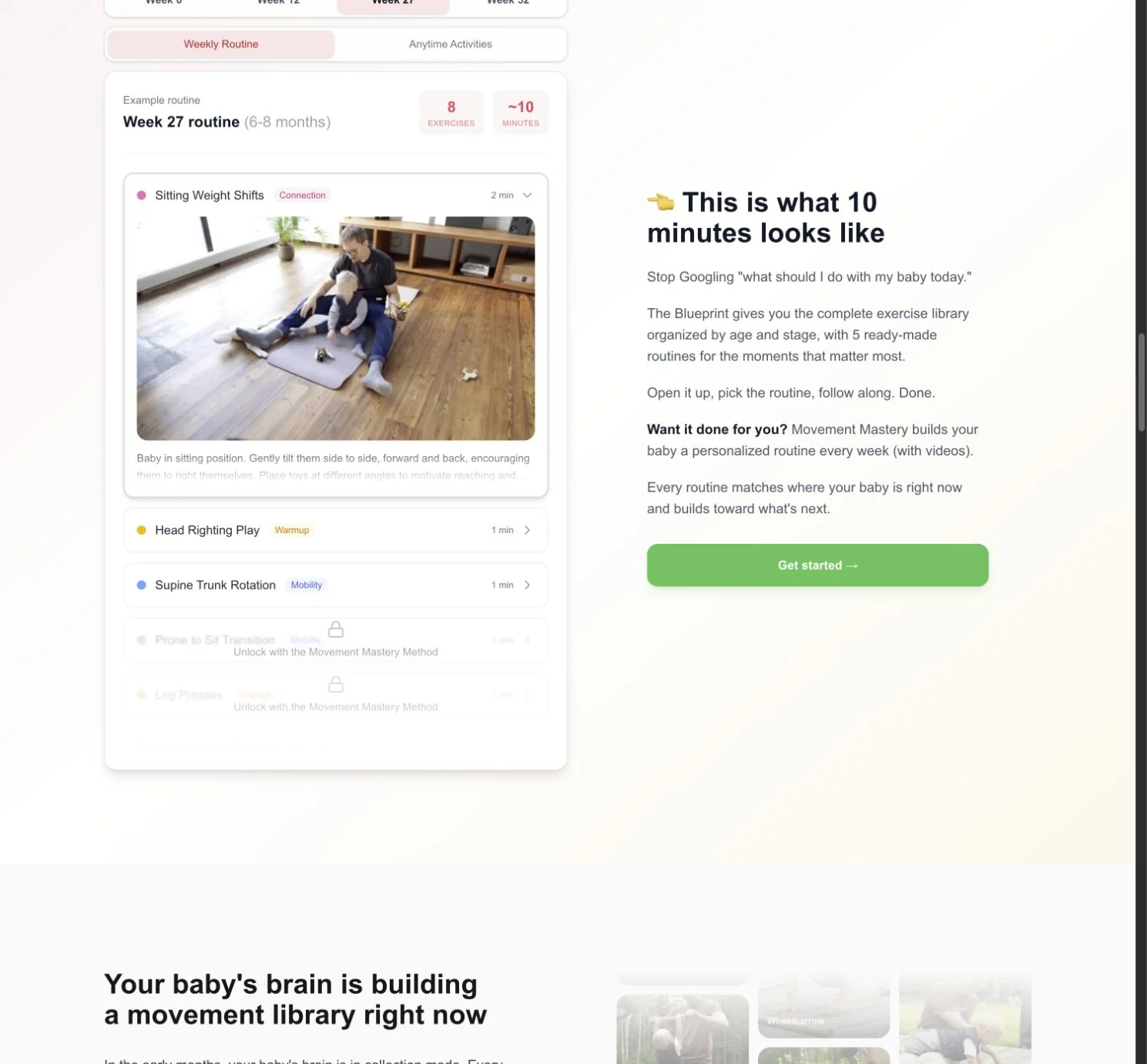
The program includes a substantial written guide, exercise demonstrations, weekly routines, a foundations course, and resources for the parent as well as the baby. Some people want to understand the whole thing. Others want to open it and see what to do. Both are reasonable, so there are different ways into the material.
The parent side matters more than it might sound. You can explain a movement perfectly and still have someone hesitate because they don't feel comfortable doing it. A video needs to show enough that they can understand what they're looking at. An instruction needs to make sense when they're holding a child, not just when they're sitting at a desk reading it.
That's a much more interesting problem to me than putting videos behind a login.
Then it went native
For a long time "the app" was the website saved to your home screen. That works until you're on the floor with a baby, the Wi-Fi is bad, the screen locks halfway through a routine, and you have to unlock your phone with one hand to see the next exercise.
So in July we started a proper app for iPhone and Android. It's one React Native codebase for both, a real native app rather than the website in a wrapper, and it talks to the same backend as the web version.
The heart of it is still the question from above: what do I do today? The dashboard opens on this week's routine, generated from the baby's age in weeks by the same engine the website uses, all the way from newborn to around eighteen months. Below it are the anytime activities (movements you can fit into feeding, nappy changes and play), the guides you've bought with your progress through them, and the fixed routines for particular moments: a first routine, morning wake-up, tummy time, a happy-tummy routine for gas, bedtime.
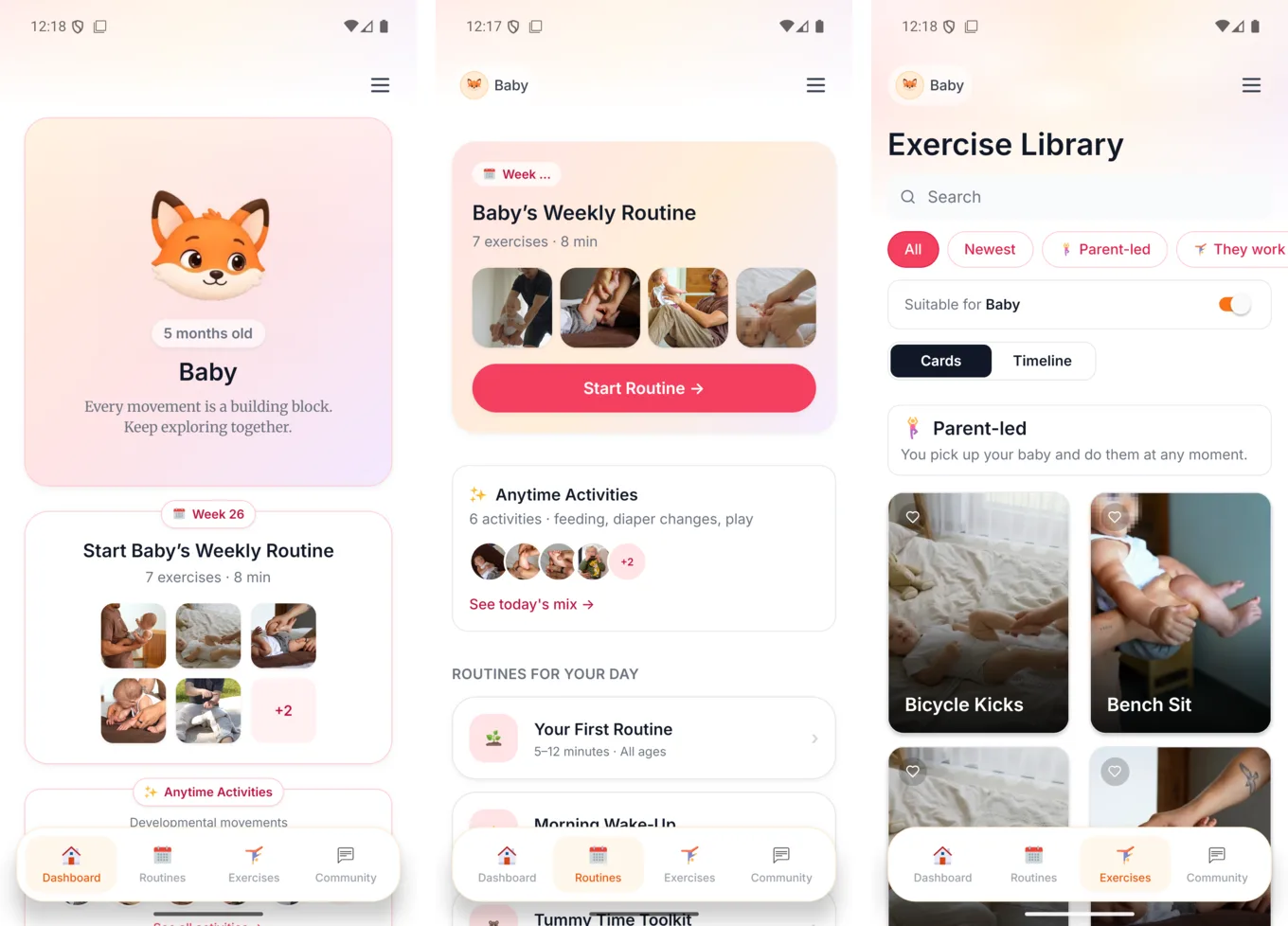
The exercise library has all 92 exercises, filterable by type, by what suits your baby's age right now, and as a timeline showing when each one comes in and fades out. Each child (up to three per family) gets their own profile, colour and little animated animal, and the routines follow whichever one is selected.
A few things only an app can do, and they're the ones I care about most:
- It works offline. Short preview loops of the exercises ship inside the app, about 157 of them, and the written guides are stored on the phone in an encrypted form that unlocks with your account. You can do a routine in a basement with no signal. The full lesson videos still stream.
- The timer lives on your lock screen. Start an exercise timer and on iPhone it shows up as a Live Activity on the lock screen and in the Dynamic Island, on Android as a notification. The screen stays awake during a routine, so you're not unlocking it with one hand.
- Night mode. Warm dark colours for the 3 a.m. session, when a white screen is the last thing anyone needs.
- Quick actions and reminders. Long-press the icon for today's routine, and push notifications for new routines and community replies.
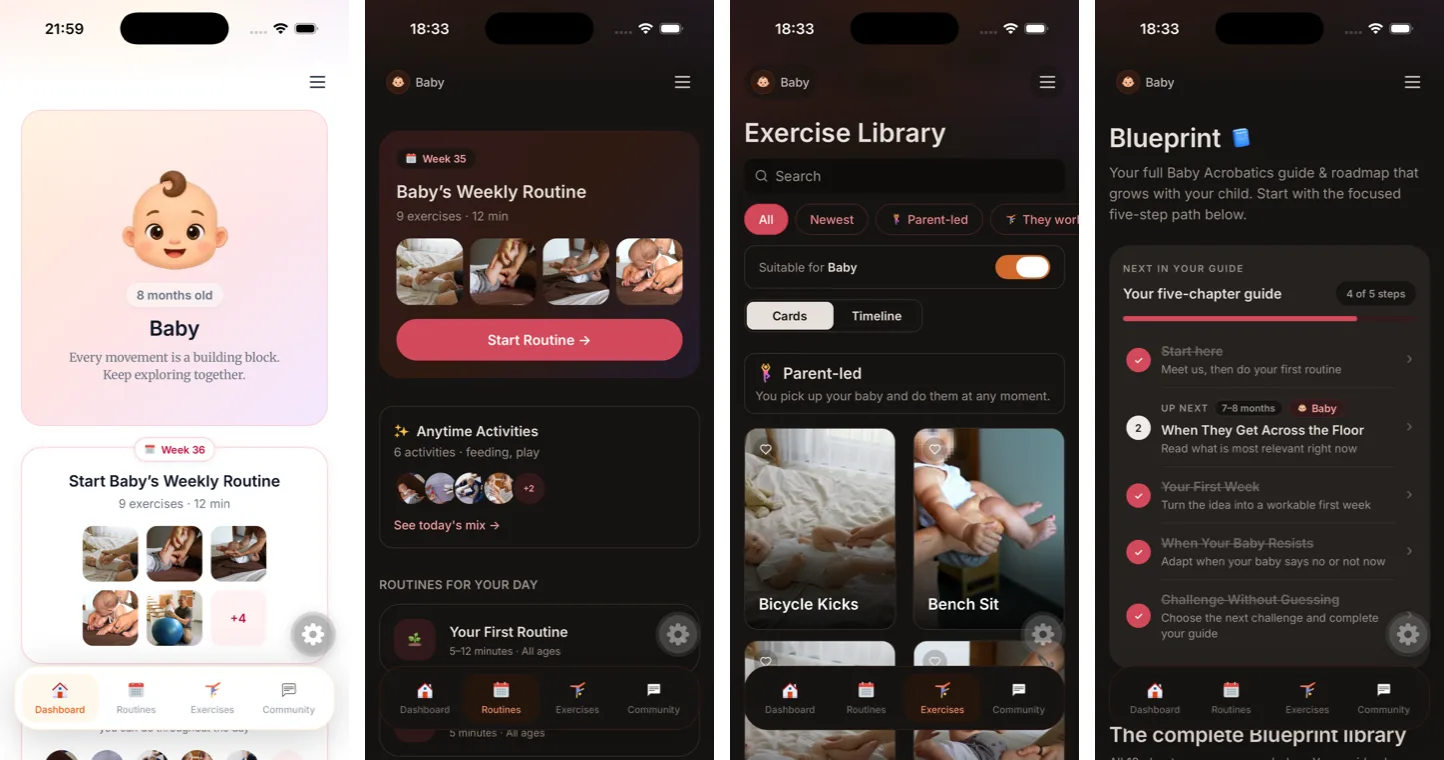
One deliberate decision: the app doesn't sell anything. There are no in-app purchases. You buy the program on the website and the app is where you use it. Same idea as a Kindle app, and it keeps the app about the baby rather than about checkout screens.
The Android app is on Google Play. The iPhone app is in a public TestFlight beta while it makes its way into the App Store.
Getting the details right
I'm not a pediatric therapist. Being very interested in a subject doesn't magically make me one.
The program was developed with expert input and independently reviewed by licensed pediatric occupational therapists. The expert review gets into readiness, progressions, caregiver instructions & safety cues. Those details belong inside the material, where someone is deciding what to do, rather than in a disclaimer they read once and forget.
I want parents to understand what they're doing. I also want them to know when something isn't appropriate and when they need their own clinician's advice. A confident parent still needs judgment.
And then all the things behind the thing
I built the website and app, and I produce the content. So I'm dealing with the whole chain: explaining the idea, filming it, editing it, publishing it, delivering the program, and answering the questions that come back.
Once you're doing that regularly, the boring problems become enormous. Where's the clip? Which version did we publish? Have the faces been covered? Why am I correcting the same caption in six different exports?
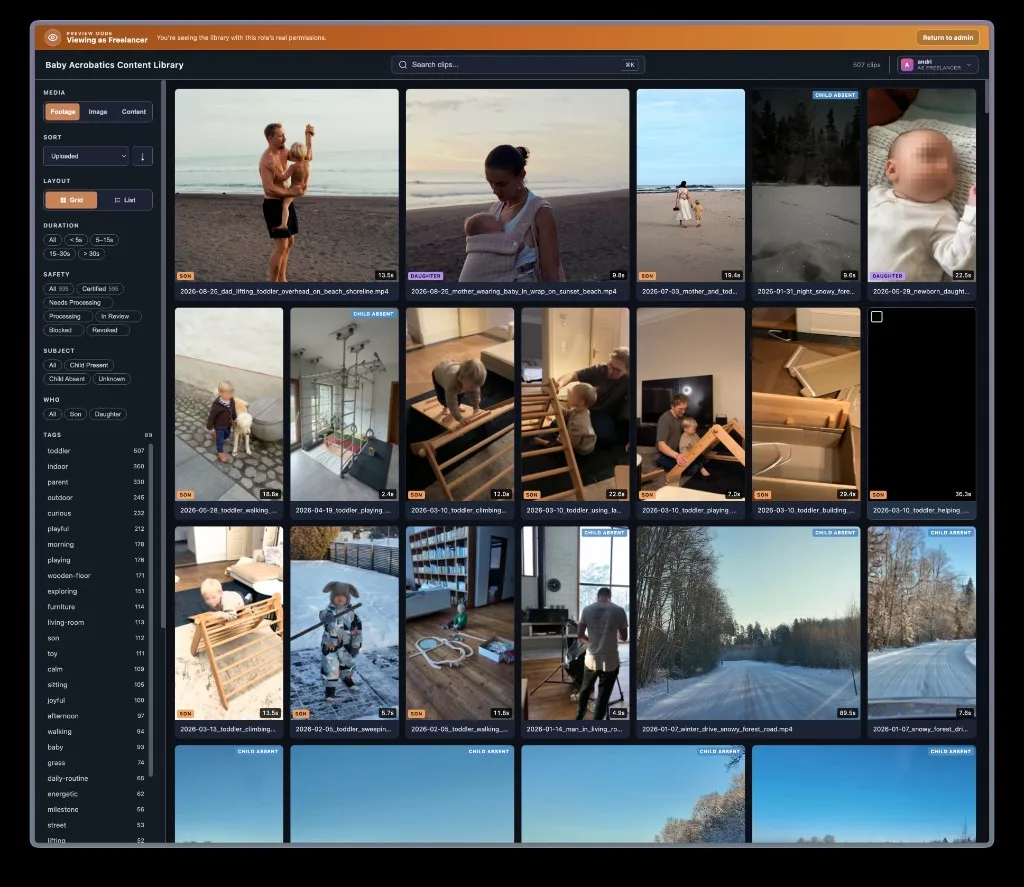
That's where the other builds on this site fit. Creator Toolset handles the footage library, captions, reviews, and the recordings I use to explain work. The support tool helps someone else answer questions without starting from zero every time.
And because our kids appear in the content, face privacy became its own project too: Blur Kids' Faces, on the web and on iPhone.
It probably looks like I keep wandering off and building unrelated apps. Sometimes I do. But a lot of these exist because I hit a specific problem while working on Baby Acrobatics and got sufficiently annoyed to fix it.
This is the project that connects most of them. A thing I wanted for my own family, which became a thing other families could use, which turned out to involve considerably more work than making a nice website.
You can see the program at babyacrobatics.com, and the content on Instagram and YouTube.